❓What do the colored dots in the Overview Report mean?
The color of the indicator shows the status of data collection:
- 🟢 Green — statistics have been fully collected.
- 🟡 Yellow — statistics have been partially collected and are still being processed.
- 🔴 Red — statistics have not been collected yet.
If the statistics are missing or have not been updated for an extended period, please contact @BabkeeBot.
❓Why are the Bid and Budget fields missing for some campaigns?
This happens when multiple ads or ad groups from the source are linked to the same campaign in Babkee.
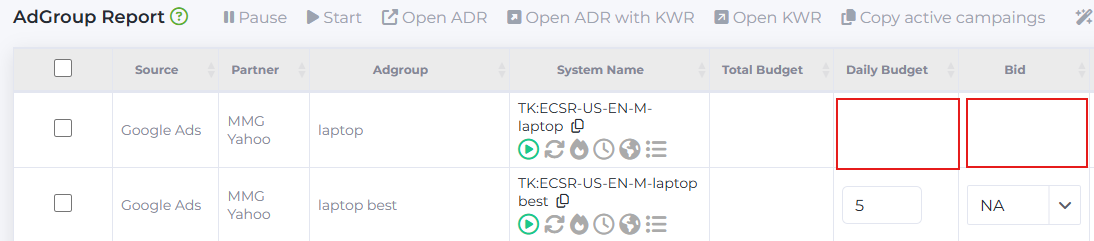
In this case, Bid and Budget cannot be edited through the Babkee interface. These campaigns are automatically paused by our system because they contain multiple identical source URLs.
For more information about this rule, please refer to the following article: knowledgebase.babkee.co/l_eng/knowledge_base/item/376675
❓Why do I receive an error when disabling a Google Ads Display campaign through the Country Report?
When you disable a market through the Country Report for Google Ads Display campaigns, the corresponding country is automatically added to the Exclusion Locations list.
Google Ads allows a maximum of 122 excluded countries. If this limit has already been reached, the system cannot add another country, and an error will be displayed.
❓How can I check if there are available channels for a partner?
To check whether there are any available channels:
- Open Channel Revenue Report.
- Select the website where you want to upload campaigns.
- Click Load.
- Check the Free Channels Count field.

If the value is greater than 0, there are available channels that can be used.
If there are no available channels, you can free up capacity by removing your inactive channels.
Instructions on how to do this can be found here: https://knowledgebase.babkee.co/l_eng/knowledge_base/item/333309
❓How does the AffRank Keyword Searcher work?
The AffRank Keyword Searcher caches successful search results for 30 minutes.
- Successful results are stored in the cache for 30 minutes.
- During that time, repeated searches will return the cached results.
- If no results are returned during the initial search, you can search again. If successful, the new results will also be cached.
As a result, a keyword may return no results on the first attempt but produce results on a subsequent search. This is expected because search engine results are dynamic and may vary between requests.
❓How can I find the URL of an already generated campaign?
To get the campaign URL:
- Go to Management → Campaigns → Campaign List.
- Find the required campaign using the search.
- Open the AdGroups section.

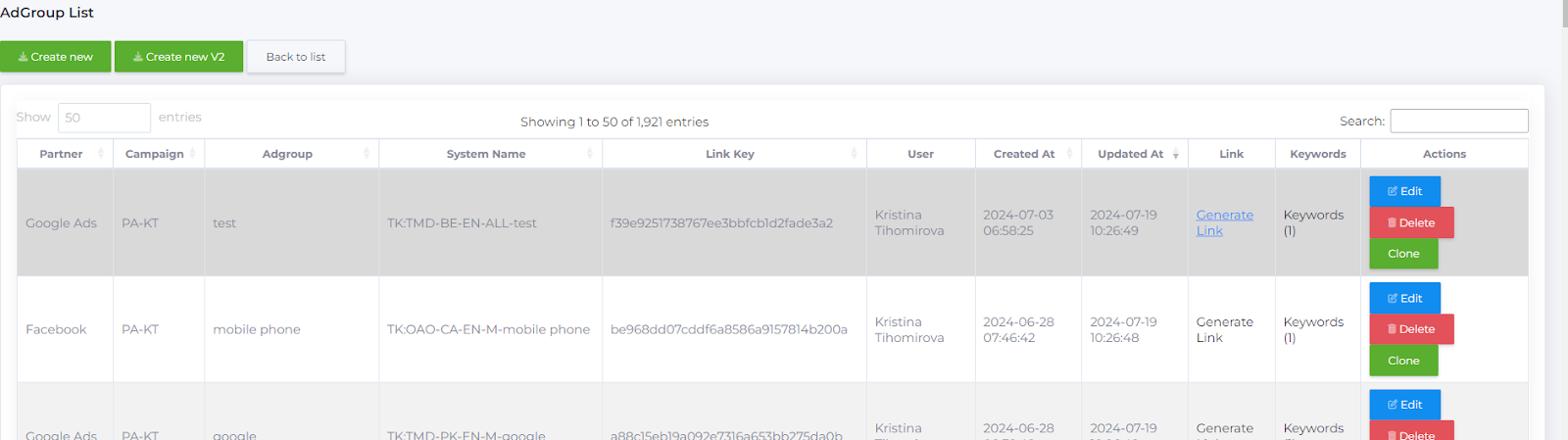
4. Click Generate Link.
The system will generate a ready-to-use campaign URL.